킹덤 컴: 디리버런스 2, 서드 퍼슨 모드 추가
- By Aaron
- Jun 05,2026
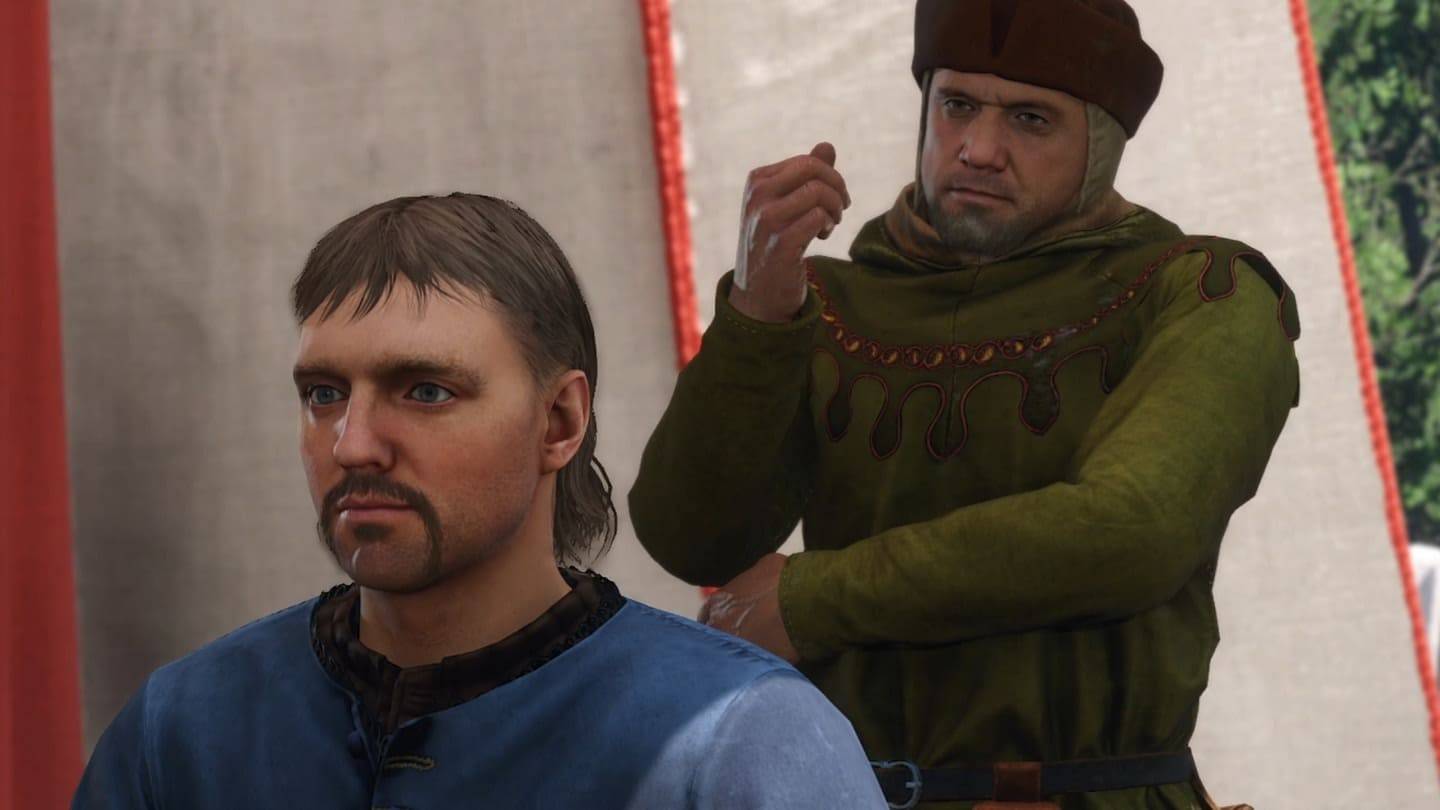
[[IMG_BASE64_PLACEHOLDER]] Modder Javier66 has launched a new Kingdom Come: Deliverance II modification that enables smooth transitions between first-person and third-person views. This creative enhancement allows players to experience the detailed medieval world immersively in third-person, while keeping the authentic first-person perspective for combat sequences. The mod can be downloaded from Nexus Mods.
The controls are intuitive and easy to use. Switch to third-person view by pressing the F3 key, and return to first-person mode by hitting F4. This versatility helps players adjust quickly to varying gameplay moments, picking the ideal camera view for their needs.
Download the mod here. Installing it involves just a few straightforward steps. Open your Steam library, right-click on Kingdom Come: Deliverance 2, choose "Properties," then "General," and click "Set Launch Options." Type in the command: -devmode +exec user.cfg. Once done, you can start enjoying a more adaptable gameplay experience.
최근 뉴스
더 >-

- 도라에몽의 도라야키 모바일 상점 출시
- Jun 06,2026
-

- 와자리 변이 다프네, 기념 이벤트 시작
- Jun 02,2026
-

- 울버라인의 엑스박스 컨트롤러, 데드풀 교체식 커버 탑재
- Jun 02,2026
-

- '블러드 메세지' 공개일 확정
- Jun 01,2026
-
- 로스트 소드 리롤 가이드 - 최고의 캐릭터와 강력한 시작을 위한 리롤 방법
- May 30,2026